Healthcare (dental)
Perio Chart
A periodontal charting component plugged into a dental practice-management system
- Client
- Dental and orthodontic practices
- Engagement
- Orthodontic Centers of America
- Role
- Original developer
- Year
- 2005
- Platform
- Windows desktop (VB6 component)
- Size
- About 15,000 lines
About the application
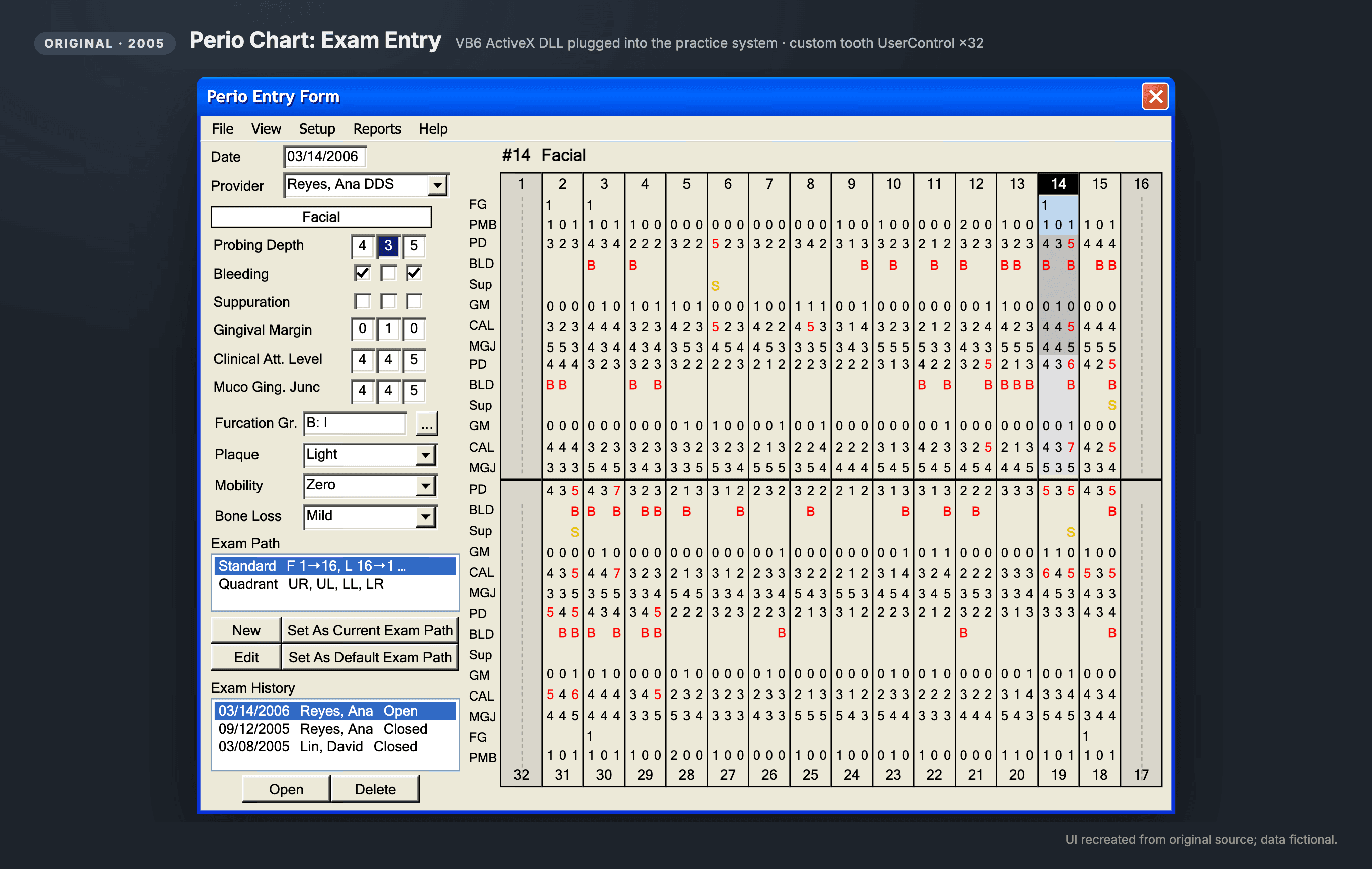
A periodontal exam records several measurements at three sites on every tooth: probing depth, gingival margin, and the resulting clinical attachment level, plus bleeding, suppuration, furcation, mobility, and plaque. Hygienists need to enter all of it quickly while the patient is in the chair.
Perio Chart was a VB6 component, about 15,000 lines, that plugged into the practice-management system. It calculated attachment level automatically, supported configurable exam paths and probe orders with fast keyboard entry, drew a graphical chart of the whole mouth, and printed through Crystal Reports.
Key features
- Probing depth, gingival margin, and auto-calculated attachment level at three sites per tooth
- Bleeding, suppuration, furcation, mobility, and plaque
- Configurable exam paths and probe orders
- Fast keyboard entry
- A graphical chart of all 32 teeth
- Exam history and Crystal Reports printouts
Responsibilities
- Original developer of the component: about 15,000 lines of VB6.
- Built it as an ActiveX DLL that plugs into the practice-management system, with a custom tooth UserControl used 32 times.
- Built the attachment-level calculations, exam paths, probe orders, and keyboard entry.
- Built the Crystal Reports printouts.
What the modernized version changes
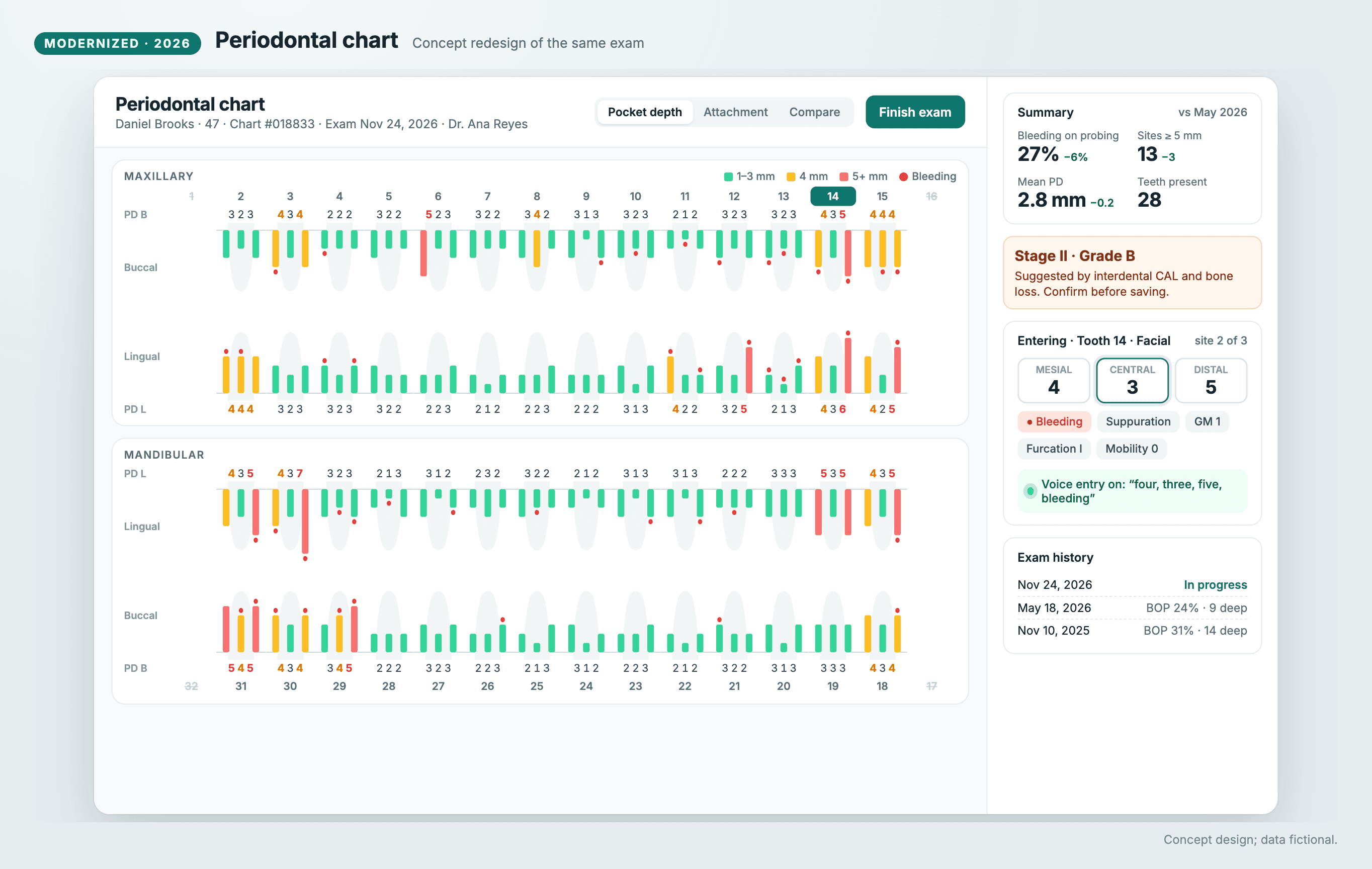
- Pocket depths drawn as color-coded bars for every site, upper and lower arch.
- A summary of bleeding on probing, deep sites, mean depth, and teeth present, compared with the last exam.
- A suggested stage and grade to confirm before saving.
- An entry panel for the current tooth and site, with voice entry.
- Exam history beside the chart.
Still running on a system like this?
We modernize legacy desktop and WebForms apps without losing the workflows your team depends on.